Build a Cross-Section in Abaqus#
The process mirrors creating meshed beam cross-sections in Abaqus, then converting the INP file to VABS input.
Module |
Setting |
|---|---|
Part |
2D Planar, Deformable, Shell |
Property |
any material; Solid or Composite Layup section |
Mesh |
no restriction |
python -m sgio convert <filename>.inp <filename>.sg -ff abaqus -tf vabs
The Timoshenko beam model is used by default; add -m bm1 for
Euler-Bernoulli. Run python -m sgio convert -h for all options, and see
Convert SG Data.
Part#
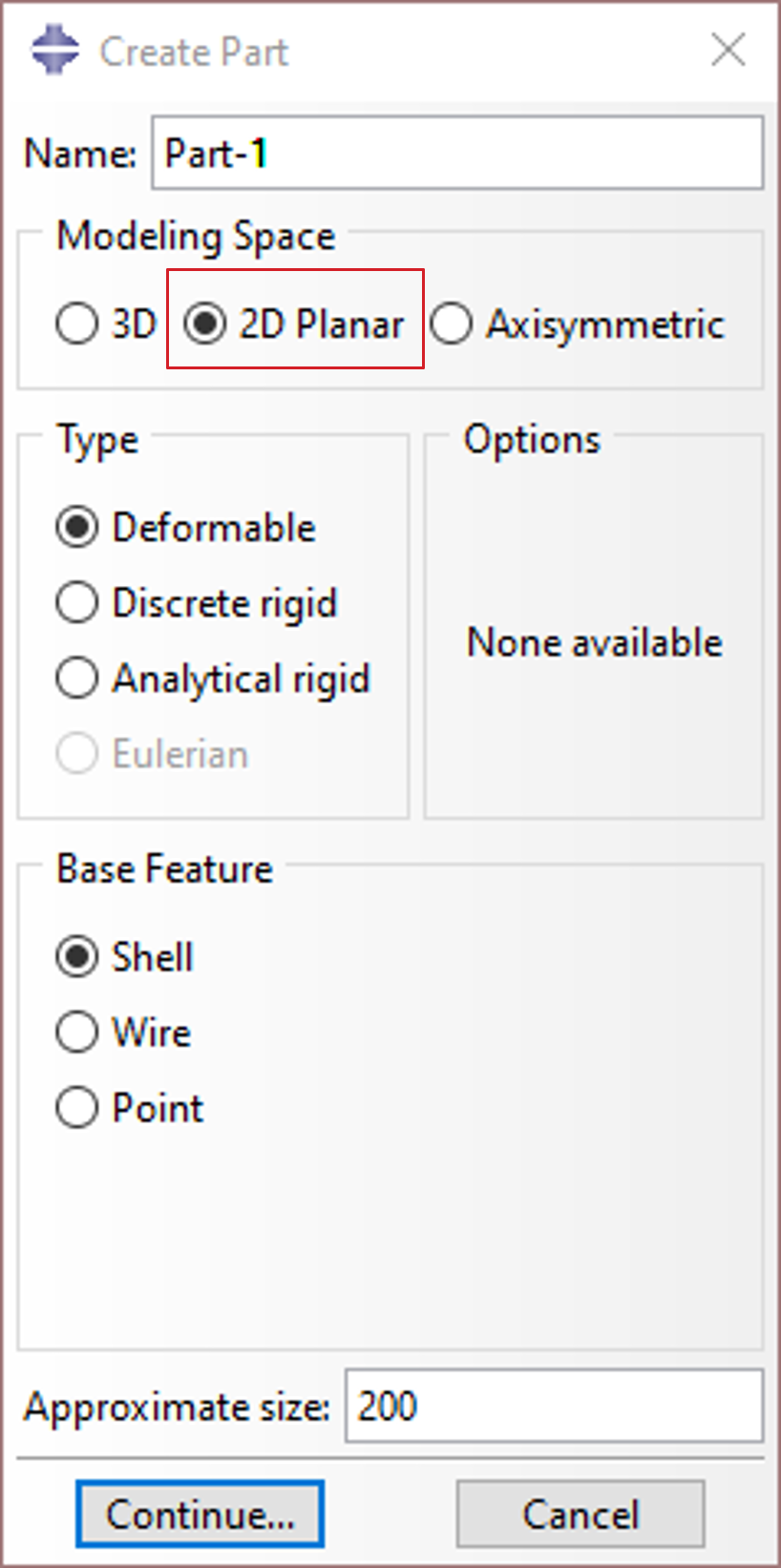
Create a Deformable Shell part in 2D Planar modeling space.
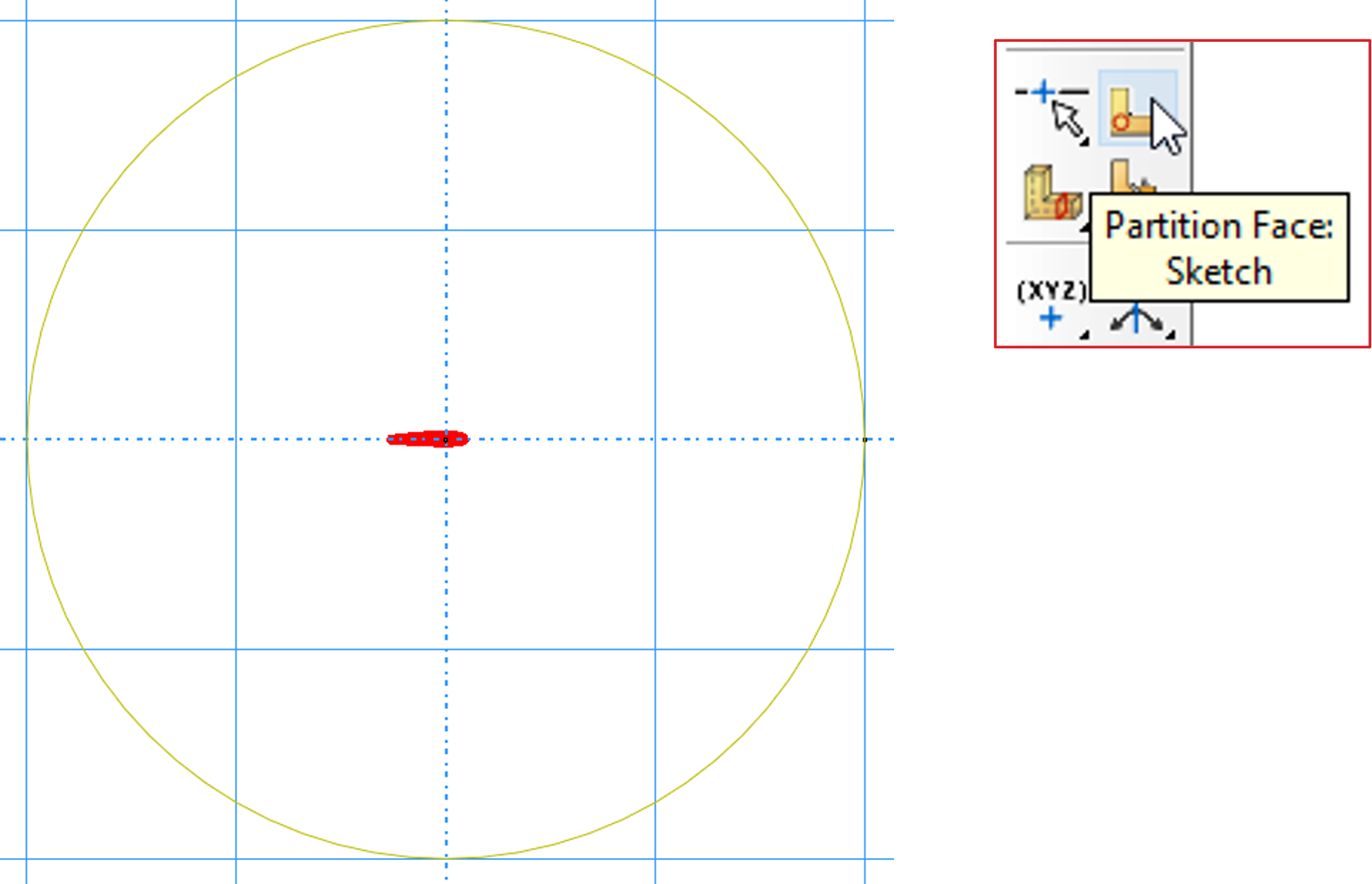
For multi-material sections, create a base shape large enough to cover the whole cross-section, then use Partition Face to divide it into regions.
Property#
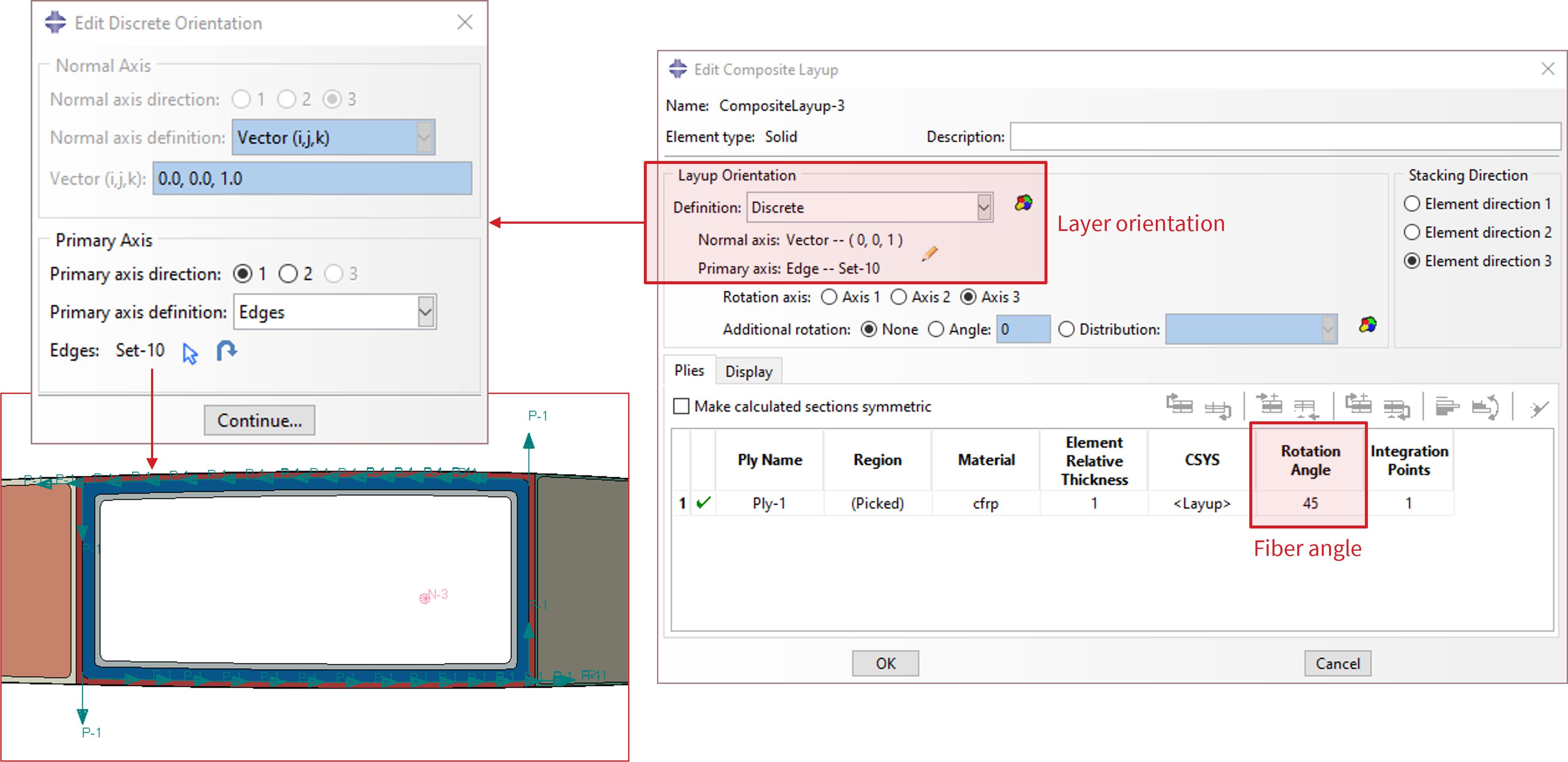
VABS needs local orientation data and allows an additional in-plane rotation (fiber angle) per layer, so use a Composite Layup section:
one ply per section
layer orientation is set by assigning the local $y$ axis — the local $x$ axis is always normal to the cross-sectional plane. For a composite layer, the local $y$ axis is usually tangent to a base line.
set the fiber angle in the Rotation Angle column
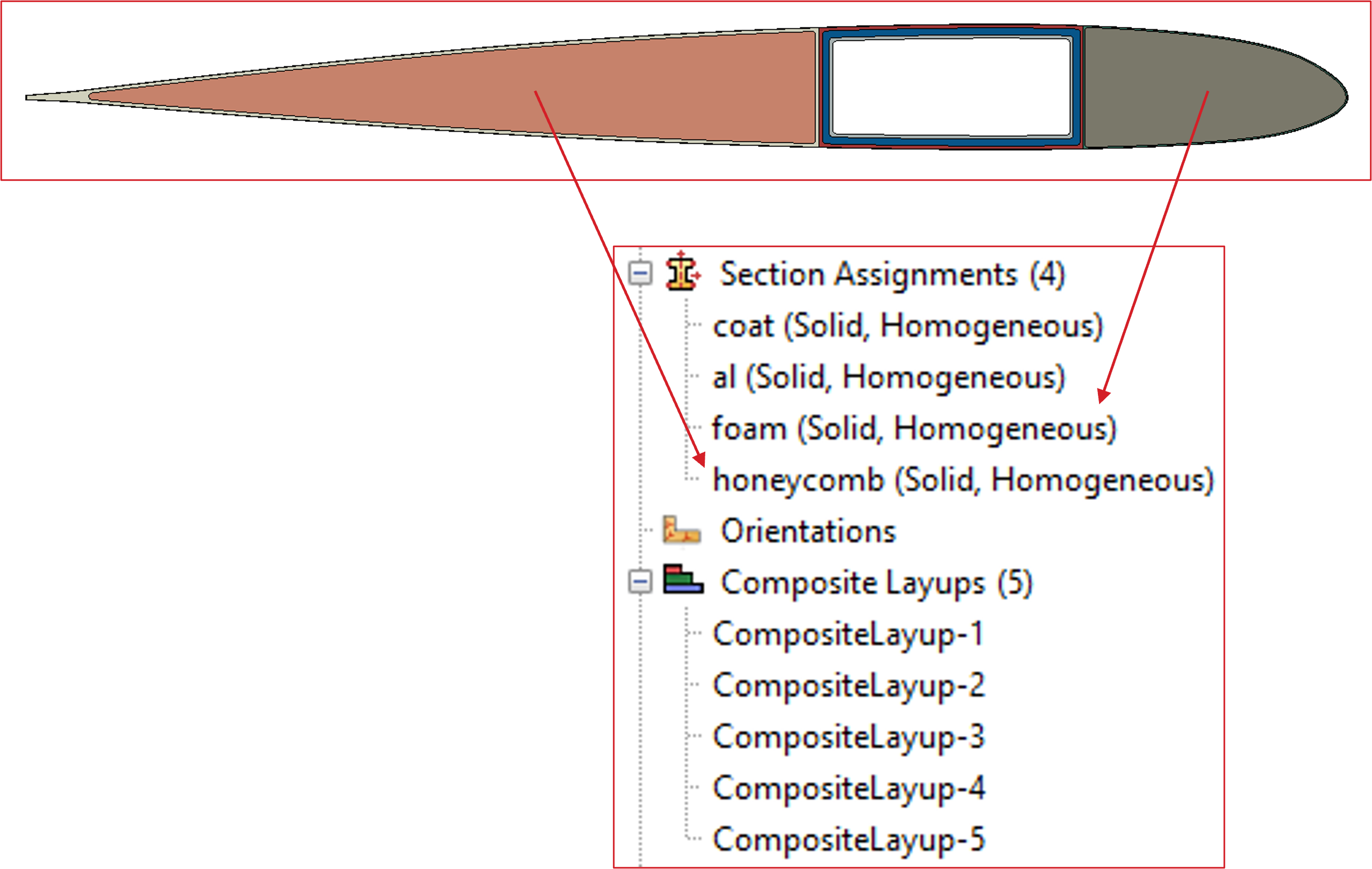
Composite Layup works for every material. A Solid section is also acceptable for an isotropic material that needs no local orientation or fiber angle.
Mesh and Export#
Mesh the part with no restrictions, then create a job and write the model to an INP file.

See Convert Abaqus Cross-Section to VABS for a worked conversion.